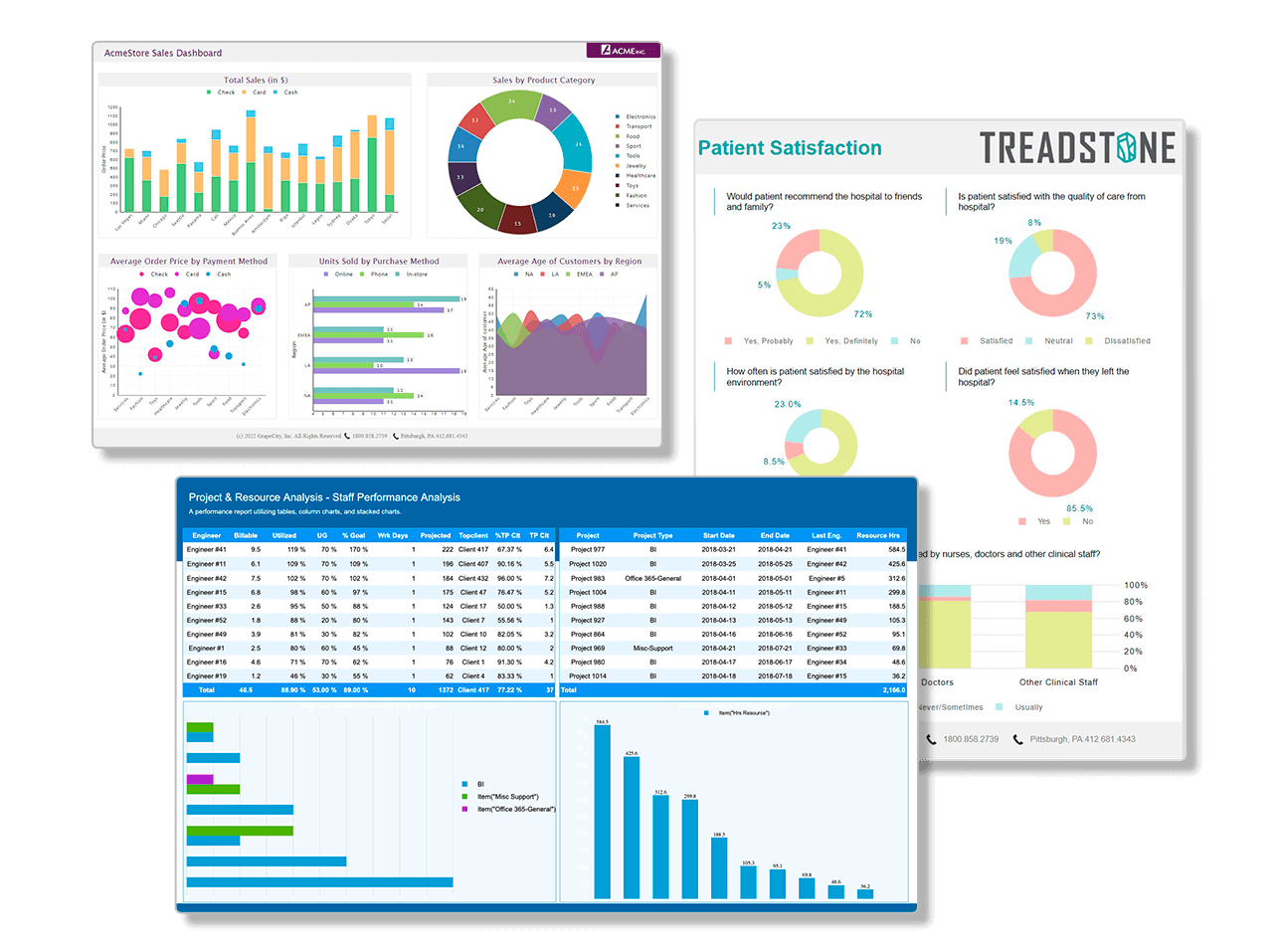
The award-winning .NET reporting tool for Silverlight, Windows Forms, ASP.NET, and Windows Azure provides Microsoft .NET developers with familiar Visual Studio integrated designers and components, as well as an extensive API. Create reports ranging in functionality from form-based reports such as invoices and insurance documents, to transaction reports such as sales and accounting, to analytical reports such as sales and budget analysis and portfolio analysis.
ActiveReports joined the ComponentOne product line on July 1, 2012, when ComponentOne became a division of GrapeCity. See what's new in ActiveReports 7.
What's New in ActiveReports 7?
In the most significant ActiveReports release ever, ActiveReports 7 brings more controls, customization, and page layouts. Plus, it now includes tables and matrices (features familiar to Data Dynamics Reports users)! Also enjoy support for Visual Studio 2012.
Visual Studio 2012 Ready
Get even more out of Visual Studio 2012 with ActiveReports 7: see increased productivity with less code required and added functionality. ActiveReports 7 offers full support for Visual Studio 2012. While ActiveReports 7 allows you to adopt the latest technologies, it also supports versions 3.5 and higher of the .NET Framework.
New Report Layout Options
New Page reports offer advanced data regions to make it easy to create different kinds of reports. Charts, tables, crosstabs, and more can be freely mixed within the same report, eliminating the need to use subreports in most instances.
- Fixed Page Layout: create highly structured reports using the new FPL reporting engine. Reports using this model won't go changing your layout, and the advanced data overflow capabilities allow you to easily design WYSIWYG reports.
- Continuous Page Layout: take advantage of various data regions to let them format the data fed into them in their own ways. Tables can use multiple groups and grow as needed, while crosstabs can group data along rows and columns. As data regions grow, other report controls respond dynamically, moving as needed.
Tables, Matrix, List, and Banded List
ActiveReports 7 now includes features familiar to Data Dynamics Reports users. Providing more report layout flexibility, ActiveReports 7 includes Tables, Matrix, Banded Lists and Charts as part of page report layout options. All of these can contain other report items such as text boxes, images, bar codes, sub reports, shapes, graphs, calendars and more.
- The Table data region has a static number of columns, and you can add group header and footer rows.
- The Matrix is a data region with dynamic numbers of rows and columns, and is similar in functionality to a cross tab or pivot table.
- The List is a free-form data region in which you can place other report items.
AJAX-based ASP.NET WebViewer Control
The new AJAX-based WebViewer control no longer relies on ASP.NET postbacks to do its work. It has also been updated with a new API and report parameter support, so you no longer need to write the code to handle parameter input yourself!
Advanced Printing Support
Scale pages, add page watermarks, print multiple report pages on a single sheet (N-up)!
New Barcode Features
- New symbologies including Intelligent Mail and Data Matrix
- New features in UPC/EAN barcodes
Rich-parameter Support Across All Viewers
All viewer controls can now prompt the user for parameter values. When using page reports, these parameters can also offer sophisticated data entry options such as a data-bound list of values to choose from and cascading parameters where one parameter value filters the list of available values for the next parameter.
Migration Made Easy
Migration of applications created in ARN3 and AR6 to AR7 is now even simpler Existing ARN1 and ARN2 users can also upgrade to AR7 using the converter utility.
Export to Google Docs
With this release, take advantage of collaboration features like spreadsheet sharing, online storage, and real-time editing over the internet with the ability to export your report to the cloud from Excel to Google Docs.
PDF/A Format Export Support
Now you can digitally preserve your reports over extended periods by choosing to export the report in PDF/A. The following PDF/A compliance levels are supported in ActiveReports:
- PDF/A – 1
- PDF/A – 2
- PDF/A – 3
Built-in Viewer for WPF
The latest release adds a Viewer for WPF allowing you to design WPF (including XBAP applications). Use the fully functional, in-built WPFViewer with your applications or customize the default XAML template to enhance user experience.
Persistent Licensing
Once you've entered a retail license key, your system remains licensed until you manually deactivate that license, making it easier to upgrade to maintenance releases.
What's New in Previous Versions?
Take a look at ActiveReports' release history to find out what's new in previous releases.